


It usually starts
with a key
"Someone left and never gave the key back."
Re-keying every lock costs a fortune, and you’re never quite sure how many copies are out there.
"Who was in here on Saturday?"
With keys and a shared alarm code, there’s no way to know.
"The cleaners need Tuesday nights. The sparky needs one morning."
So you hand out keys for a few hours of access, then chase them back.
"I can't leave, there's a delivery coming."
Somebody has to be physically there to open the door.
One system for every door
We install and set up UniFi Access, then look after it alongside the rest of your IT.
Whatever way in suits
Tap a phone, card or fob, punch in a PIN, use Apple or Google Wallet, or face unlock on the readers built for it. Mix and match per door.
Lock out one person, not everyone
Staff leave, a card goes missing, a contractor finishes up. Switch off that one person in seconds and nothing gets re-keyed.
Access on a schedule
Staff on weekdays, cleaners on Tuesday nights, a tradie for one morning. Weekends stay locked unless you say otherwise.
See who came and went
Every unlock is logged by person, door and time. Add a camera and each entry comes with a clip of who walked through.
Open it from anywhere
Courier at the door while you’re at lunch? Unlock it from the app and it locks again behind them.
Part of onboarding and offboarding
New starters get door access with their laptop and email, and leavers lose it at the same time as everything else. On the right Microsoft 365 or Google Workspace plans, access can follow the user account directly.
Readers on the doors,
control in your pocket
UniFi Access runs on the same system as UniFi Protect cameras and your UniFi network, so door events, video and alerts all live in one place. It works just as well for homes.
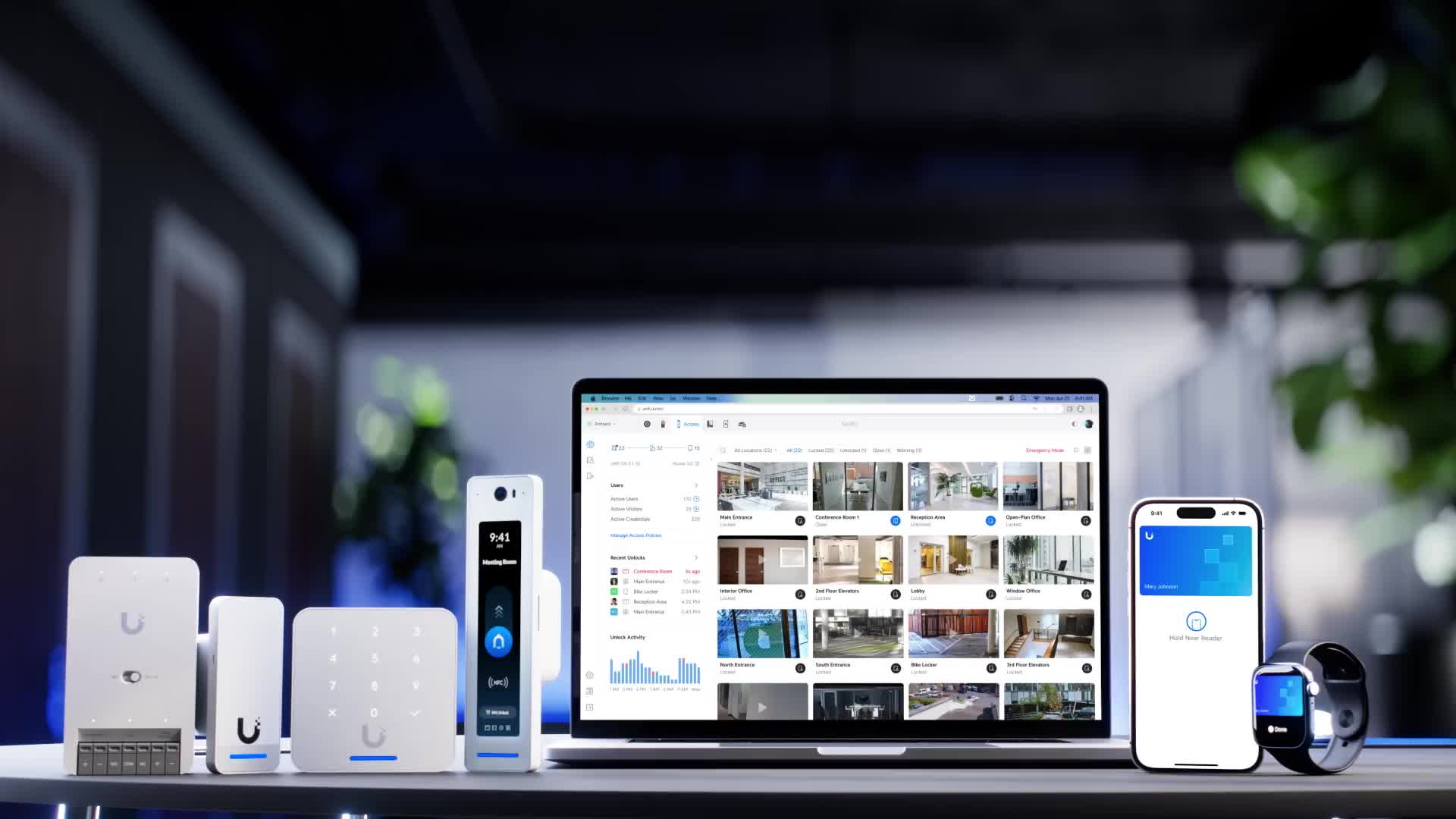
- Phone, card, PIN, Wallet or face unlock
- Live view of every door, locked or open
- Lockdown or unlock-all from one screen
UniFi Access hardware and dashboard. Image: Ubiquiti.
From keys to a tap
Walk the site
We look at every door: what it’s made of, what’s on it now and how it gets used. Glass, timber and gates all need different hardware.
Fit the right hardware
The right electric strike or mag lock for each door, readers outside and the hub inside, cabled back to your network.
Tie it in
Cameras, sirens and your existing alarm can all connect. Older alarm systems can often be retrofitted rather than ripped out.
Load your people
Users, schedules and credentials set up, phones added, and a quick run-through so you can manage it yourself or just ask us.


