


Most people find out
the hard way
"Isn't Microsoft 365 already backed up?"
Microsoft keeps the service running. Getting back something deleted months ago, or encrypted by ransomware, is up to you.
"There's a USB drive plugged into the server."
Same room, same power board, same ransomware. And nobody’s checked it since it was plugged in.
"I think it's backing up?"
A backup that’s been quietly failing for months looks exactly like one that’s working.
"What if the office burns down?"
If the only copy is in the building, the answer isn’t good.
What we back up
Every backup is automatic, keeps a copy off site, and gets checked by us every day.
Microsoft 365
Every mailbox, OneDrive, SharePoint site and Team, backed up to separate cloud storage.
Computers
Staff PCs and laptops backed up, so a dead drive or a stolen laptop is an inconvenience, not a disaster.
Servers
Daily backups of on-site servers, with copies off site for disaster recovery.
NAS and shared storage
Network storage backed up too, with an off-site copy.
Monitored every day
We check the backups are actually running. If one fails, we fix it. You don’t have to.
Restored by us
Deleted email, overwritten file, dead server? Tell us what you need back and we’ll restore it.
Every backup,
one dashboard
For PCs, servers and file shares, one of the tools we use is Synology Active Backup for Business. Every protected device and every backup run, in one place.
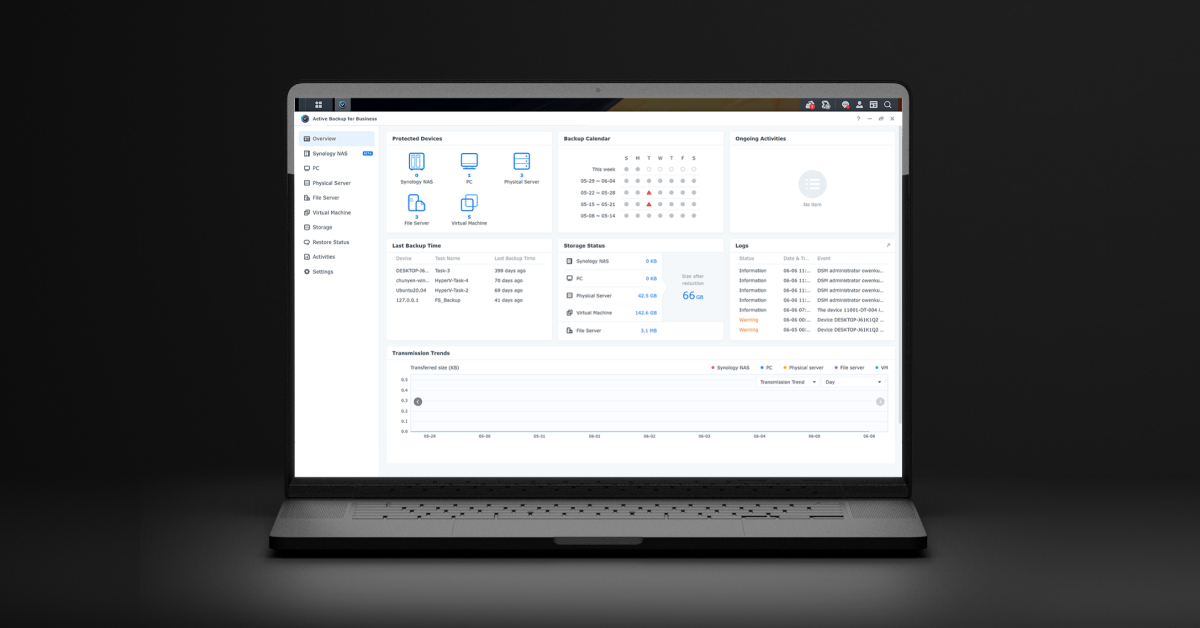
- Computers, servers and virtual machines
- Backup history at a glance
- Copies kept off site
Synology Active Backup for Business. Image: Synology.


